GUI models scoring 90%+ on standard benchmarks fail under basic visual variations like a 70% browser zoom. Current benchmarks can't detect this because they evaluate on fixed scenes with fixed instructions.
We describe a stress-testing framework for GUI grounding that applies domain randomization from robotics, varying visual scenes and instructions along controlled axes to expose fragile model behaviors.
We release GUI-DR, the open-source data augmentation pipeline for generating perturbation variants from real web pages.
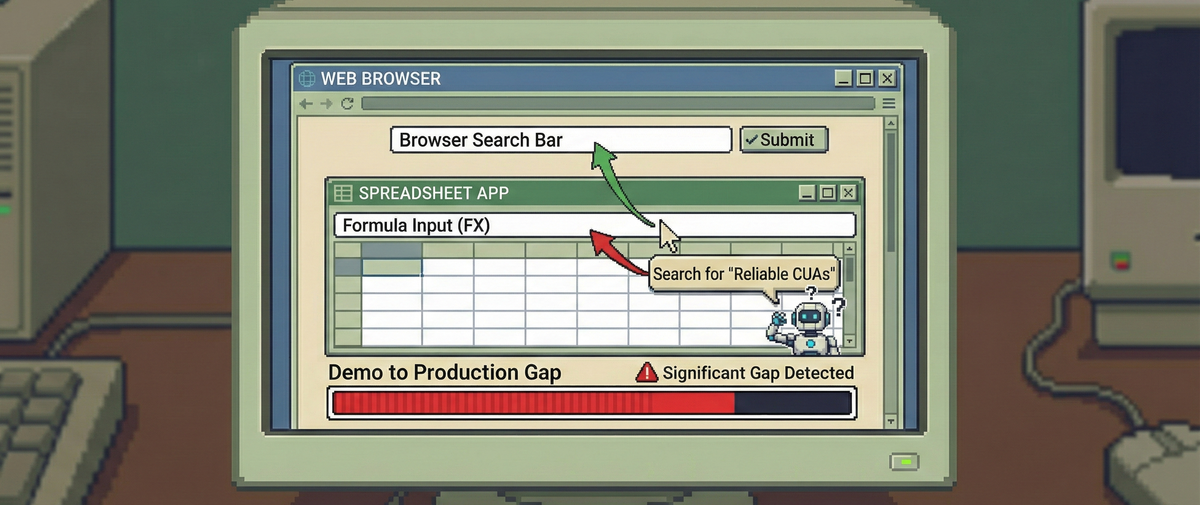
Modern GUI grounding models can locate a “Submit” button with 95% precision, identify form fields from natural language instructions, and navigate complex web interfaces with apparent ease. Yet they confuse a Google Sheets formula bar for a browser search bar. Both are white rectangles positioned near the top of the screen. This keeps the GUI models in the labs with limited use cases.
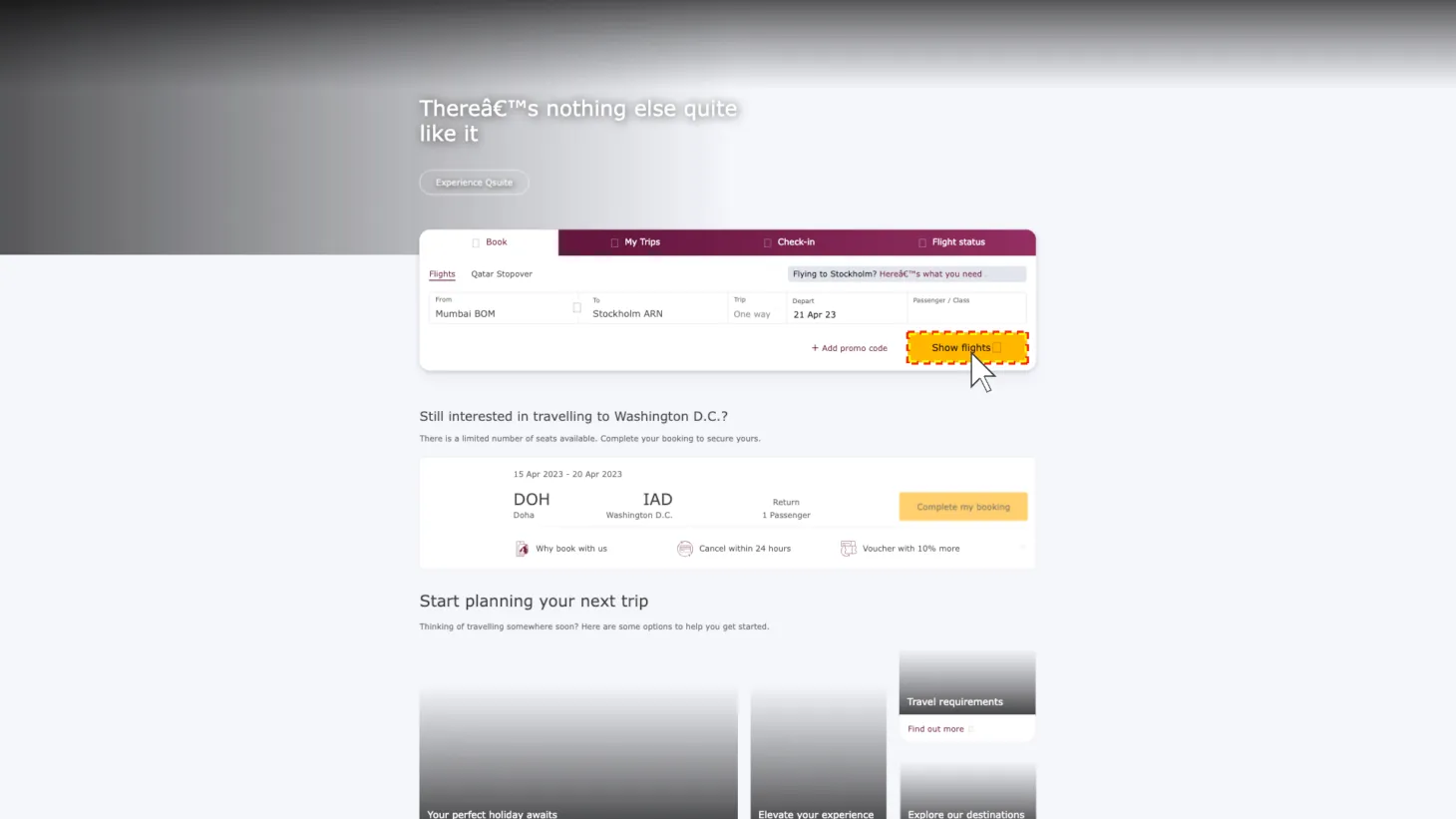
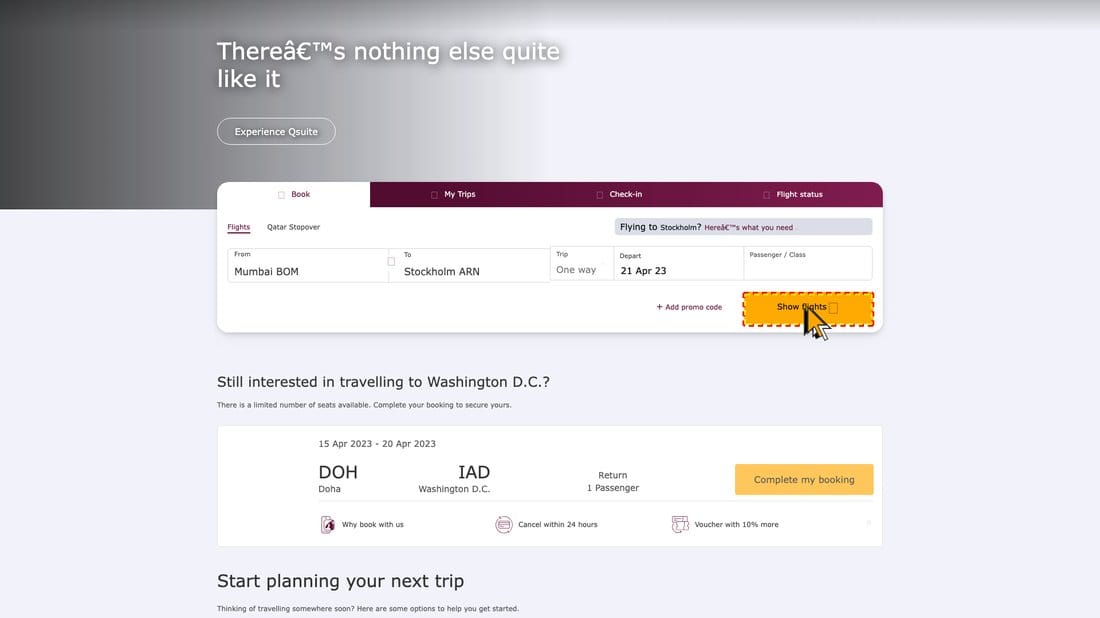
Operator mistakes browser search bar for google sheet formula input while working on transferring data table from an arxiv paper pdf file to a google sheet file.
This is a systematic failure: models ground to visual primitives like shape, position, and color rather than functional semantics [17]. A white rectangle at the top of the screen means “text input,” regardless of whether it is a search bar, a formula editor, or a URL field. The model has skewed representation of what the element might do.
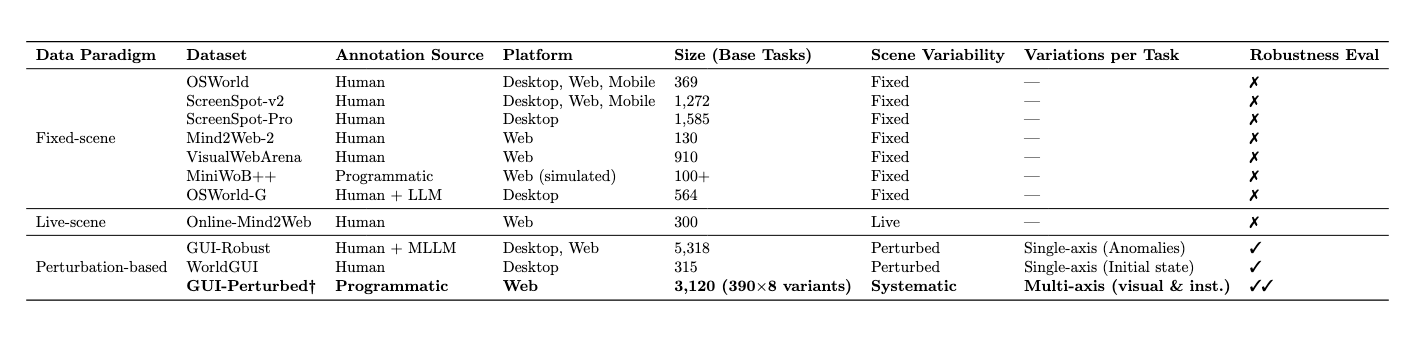
Current evaluation datasets cannot tell us how widespread this problem is [1, 3-12]. They evaluate on fixed scenes with fixed instructions: a specific screenshot, a specific referring expression, a single correct answer. This tells us ceiling performance under curated conditions, but not how models degrade when conditions shift, and in production, conditions always shift.
In this technical report, we introduce GUI-Perturbed, a dataset built on domain randomization principles that varies visual scenes and instructions along controlled axes to expose fragile grounding. We describe the dataset, the perturbation methodology, and the design decisions behind it.
Fixed scenes hide fragile models
Existing CUA evaluation datasets share a common structure: a fixed screenshot, a fixed instruction, and a fixed ground-truth target. Benchmarks like OSWorld [3], ScreenSpot-v2 [5], ScreenSpot-Pro [6], and OSWorld-G [4] each contribute valuable coverage of specific scenarios and applications. But they all evaluate under the same assumption: that the test set’s visual scene and instruction distribution is representative of the real world scenarios.
In production, this assumption breaks constantly. Websites ship new themes. Browser zoom levels vary across users. Dark mode inverts color relationships. Users describe the same element in different ways depending on context. A model that scores 90% on a fixed test set may score far lower once any of these variables shift.
Comparison of GUI agent datasets and benchmarks [1, 3-12]. Scene variability: Fixed = no visual variation across runs; Live = real website changes outside experimental control; Perturbed = controlled variation deliberately introduced. GUI-Perturbed† is web-only; cross-platform extension is left for future work.
What we need is evaluation data that varies these conditions systematically, so we can measure not just performance but robustness. For this, we borrow an idea from robotics: domain randomization.
From sim-to-real to demo-to-production
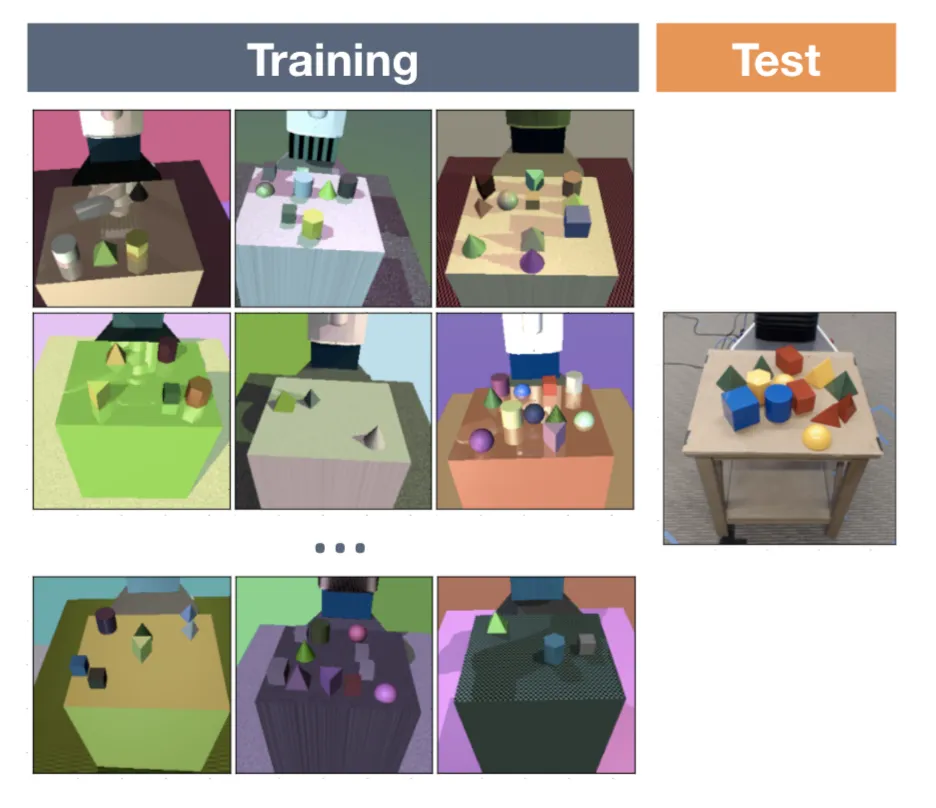
In robotics and self-driving, domain randomization is a standard technique for bridging the gap between simulation and the real world [13]. During training, you randomize visual properties of the simulator (textures, lighting, object colors, camera angles) so the policy is forced to learn features that are invariant to surface-level variation. A robot that has seen a red cup, a blue cup, and a transparent cup in training is more likely to generalize to a cup it has never seen than one trained on a single appearance.
The benefits are well-established. Domain randomization forces invariance to irrelevant visual features [16]. It exposes failure modes that fixed test sets miss. And it scales to large numbers of scenarios without manual curation: you generate new training or evaluation data by sampling new random variations.
The parallel to GUI agents is direct. Models trained and evaluated on fixed screenshots are analogous to policies trained in a single simulator skin. They memorize the visual shortcuts of their training distribution (where elements tend to appear, what colors they tend to be, which shapes correlate with which functions) instead of learning the structural relationships between elements. When the skin changes, the policy breaks.
Robotics
GUI
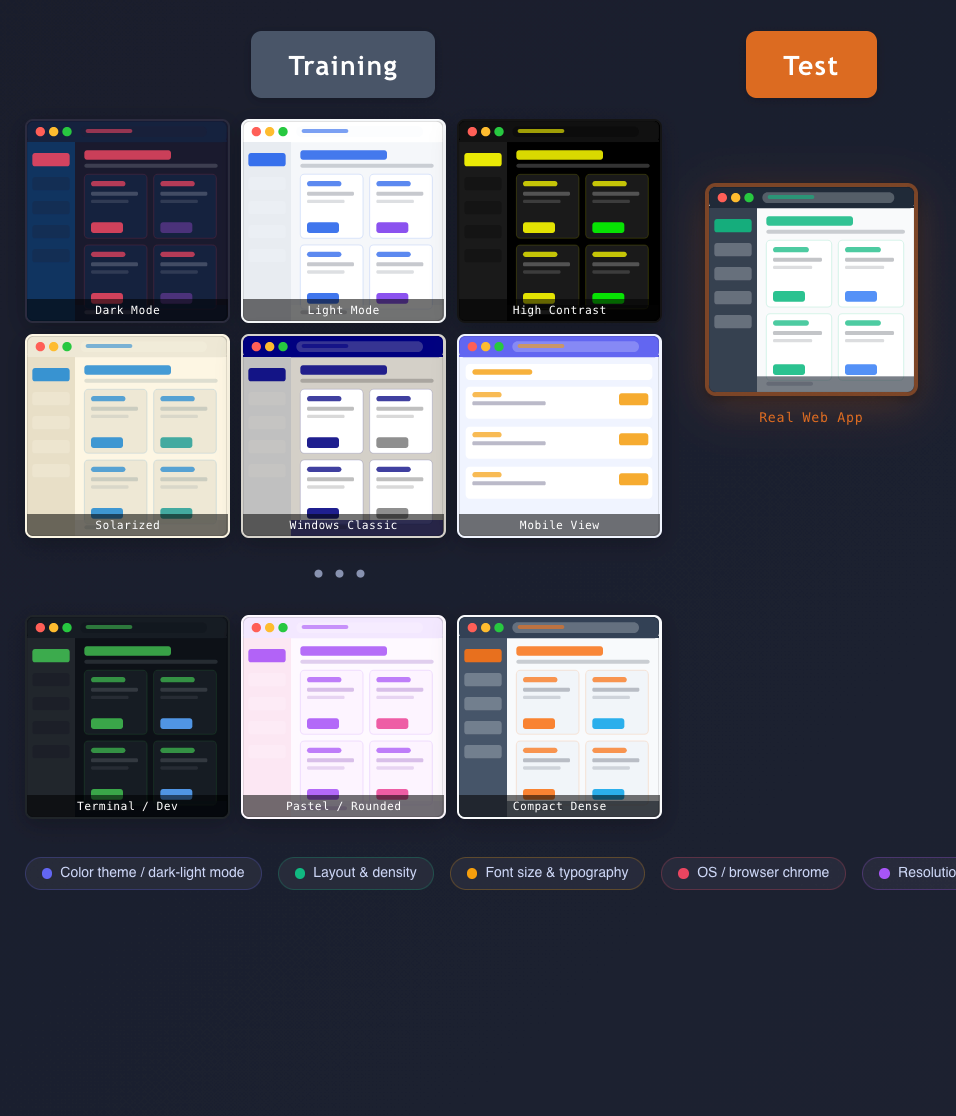
Domain randomization in robotics vs. GUI environments [14]
Applying domain randomization to GUIs, however, is harder than it looks. Robotic simulators provide programmatic control over every visual parameter: change a texture map, adjust a light source, swap out an object mesh [15]. GUI environments offer no such interface. Changing the appearance of a desktop application typically requires application-specific integration, and most production software exposes limited visual controllability.
Our workaround is to operate on MHTML archives of real web pages. MHTML files capture a complete snapshot of a rendered web page, including HTML, CSS, images, and layout, in a single archive. They also preserve the DOM structure, which gives us programmatic access to the same elements a browser renders visually. We can add, remove, restyle, and reposition actual DOM elements rather than being limited to pixel-level image transforms.
Think of the MHTML file as our simulator. We can randomize the visual environment while keeping the underlying page structure intact.
Building GUI-Perturbed
We isolate step-level grounding
We focus on a single, well-defined sub-problem: given a screenshot and a natural language instruction referring to a specific GUI element, can the model correctly identify that element?
This is a deliberate scope restriction. We leave out planning, navigation, and multi-step execution so that we can precisely attribute failures to grounding rather than upstream errors. If a model fails a multi-step task, it is hard to know whether the failure was in understanding the instruction, locating the element, or choosing the right action. By isolating grounding, we get clean signal.
In the language of our domain randomization analogy, this is single-move evaluation: grading each grounding decision independently, the way an analysis engine grades individual chess moves rather than judging by the outcome of the whole game.
Mind2Web as our simulation engine
We build GUI-Perturbed on top of the Mind2Web dataset, which provides MHTML archives of real websites alongside annotated interaction traces [10]. Each MHTML file captures a complete web page that we can load, manipulate, and re-render.
This gives us a key advantage over screenshot-only approaches. With raw screenshots, perturbation options are limited to pixel-level operations: color shifts, crops, rotations, noise injection. With DOM access, we can make semantically meaningful changes: restyle a button, reposition a form field, swap the order of navigation items, change the theme of the entire page. These are the kinds of variations that occur naturally in production and that fixed-scene benchmarks miss.
Two axes of perturbation
A grounding model takes two inputs: a visual scene (the screenshot) and an instruction (the natural language description of the target element). We perturb both.
Two-axis perturbation diagram: visual scene axis × instruction axis
Visual scene perturbations change the rendered page while preserving the target element. The goal is to alter the visual context (neighboring elements, page style, layout properties) so that a model relying on visual shortcuts will fail while a model with structural understanding will succeed.
Instruction perturbations change how the target element is described. The same button can be referred to as “the submit button,” “the green button at the bottom of the form,” or “the button below the email field.” Each phrasing requires different capabilities: keyword matching, visual attribute recognition, or spatial reasoning.
GUI-Perturbed data generation algorithm
To return to our domain randomization analogy: visual perturbations are like changing the simulator’s textures and lighting conditions. Instruction perturbations are like giving the robot a different way of specifying the goal. A robust agent must handle both.
Relational instructions
One design choice deserves particular attention. A significant portion of our instruction perturbations use what we call relational instructions: referring expressions that identify the target element by its spatial or functional relationship to other elements on the page, rather than by the target’s own properties.
For example:
“Click on ‘unread message’ above the ‘reservation email’”
“Click on the arrow icon under the second image to expand the comments”
Compare these to direct instructions like “click the blue submit button” or “click the search icon.” Direct instructions require the model to match a description to a single element. Relational instructions require the model to identify a reference landmark, reason about a spatial relationship (above, below, next to, between), and then locate the target relative to that landmark.
We define relational instructions precisely: a relational instruction is one that identifies the target element for an action based on given reference landmark and direction descriptions.
This distinction matters for two reasons. First, relational instructions reflect how humans actually refer to GUI elements in practice. When guiding someone through a UI over the phone, we say “click the button next to the search bar,” not “click the element at coordinates (450, 230).” Second, relational instructions interact with visual perturbations in diagnostic ways. If we move a neighboring element, does the model still resolve “next to the search bar” correctly? This creates a natural test of whether the model maintains a structured spatial representation of the page or relies on memorized co-occurrence patterns.
The term relational instruction carries across all three parts of this series: it is central to the evaluation results in Part 2 and the training experiments in Part 3.
Anatomy of a perturbation
Original Variant
Style Variant
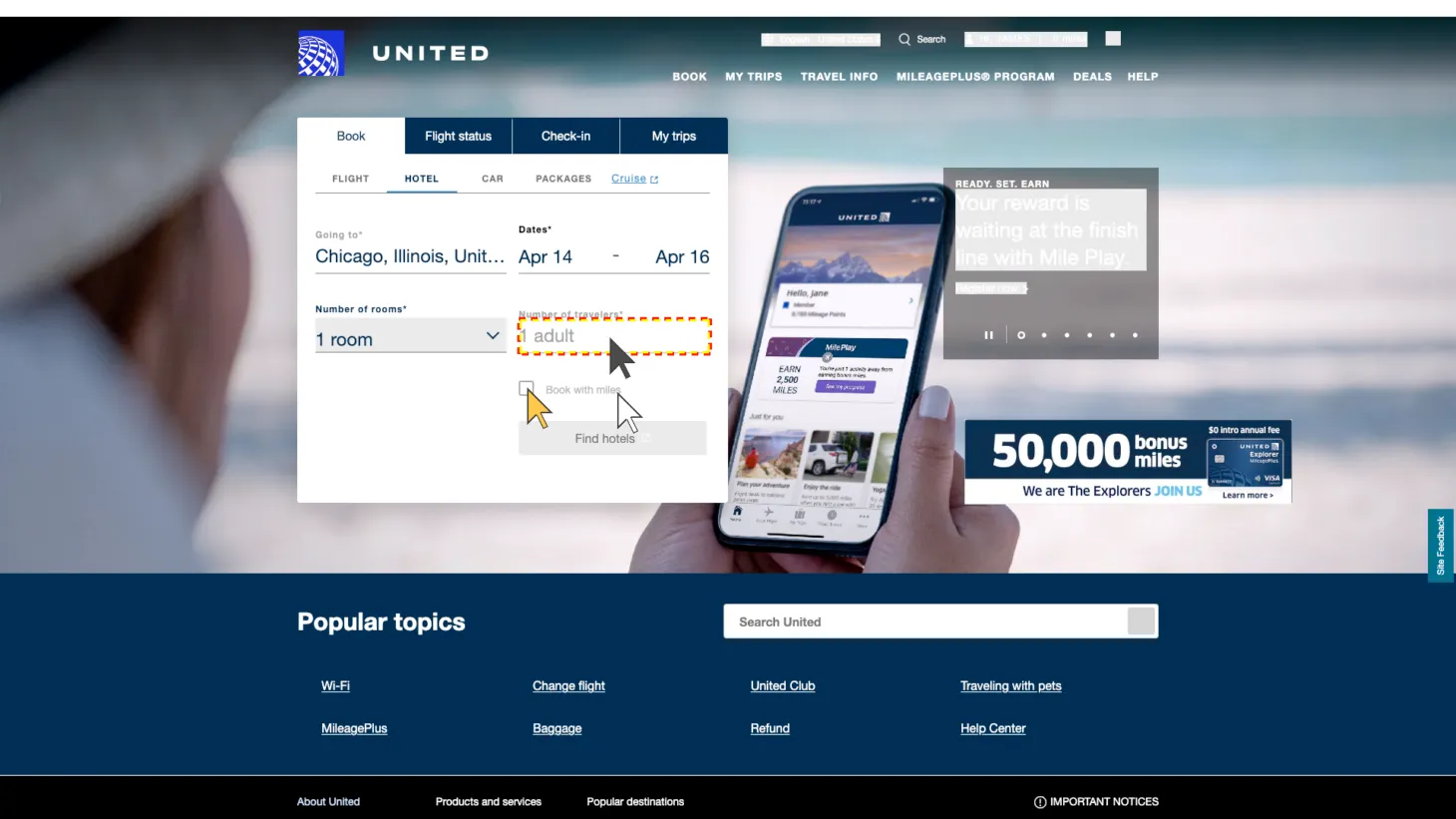
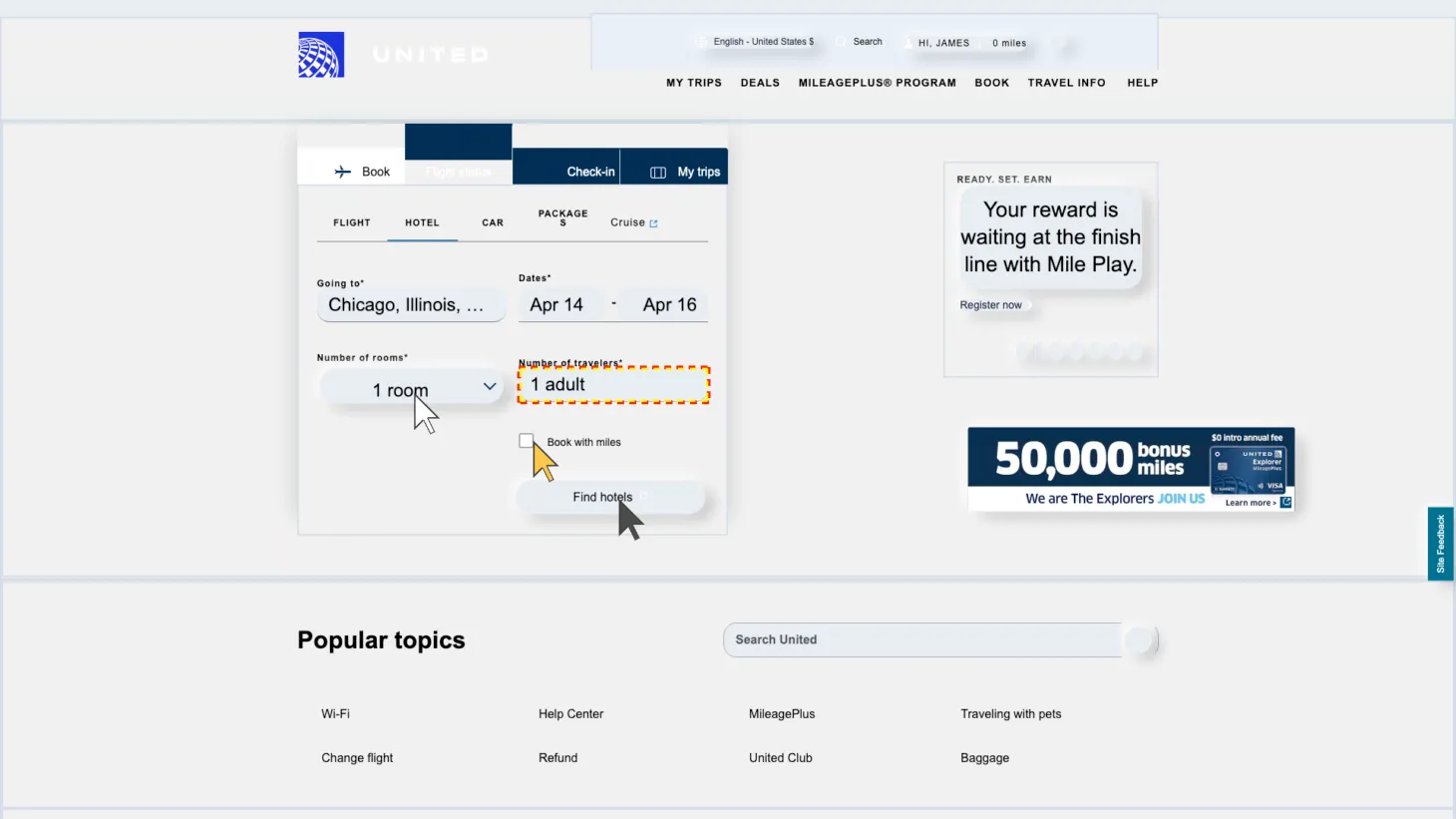
Original variant vs. style variant examples from GUI-Perturbed. Click on each image to enlarge.
The figure above shows a concrete example from GUI-Perturbed. On the left is the original Mind2Web screenshot with its associated instruction. On the right is a perturbed version of the same page.
A robust grounding model needs to recognize that despite the visual changes, the target element still serves the same function and still satisfies the instruction. The perturbation is designed so that a model relying on surface-level visual associations (element position, surrounding colors, layout proximity) will fail, while a model that understands the functional role of the element will succeed.
Dataset At A Glance
Variant
N
Description
Original
390
Obtained the screenshots of the pages directly rendered from Mind2web mhtml files (the original pages)
Style
390
Obtained the screenshots after injecting the original pages with templated CSS, JS code to randomize their button orders and element styles
Precision
390
Obtained the screenshots after scaling the pages to 0.7
Text Shrink
390
Obtained the screenshots after scaling down text font size
Original
Style
Precision
Text Shrink
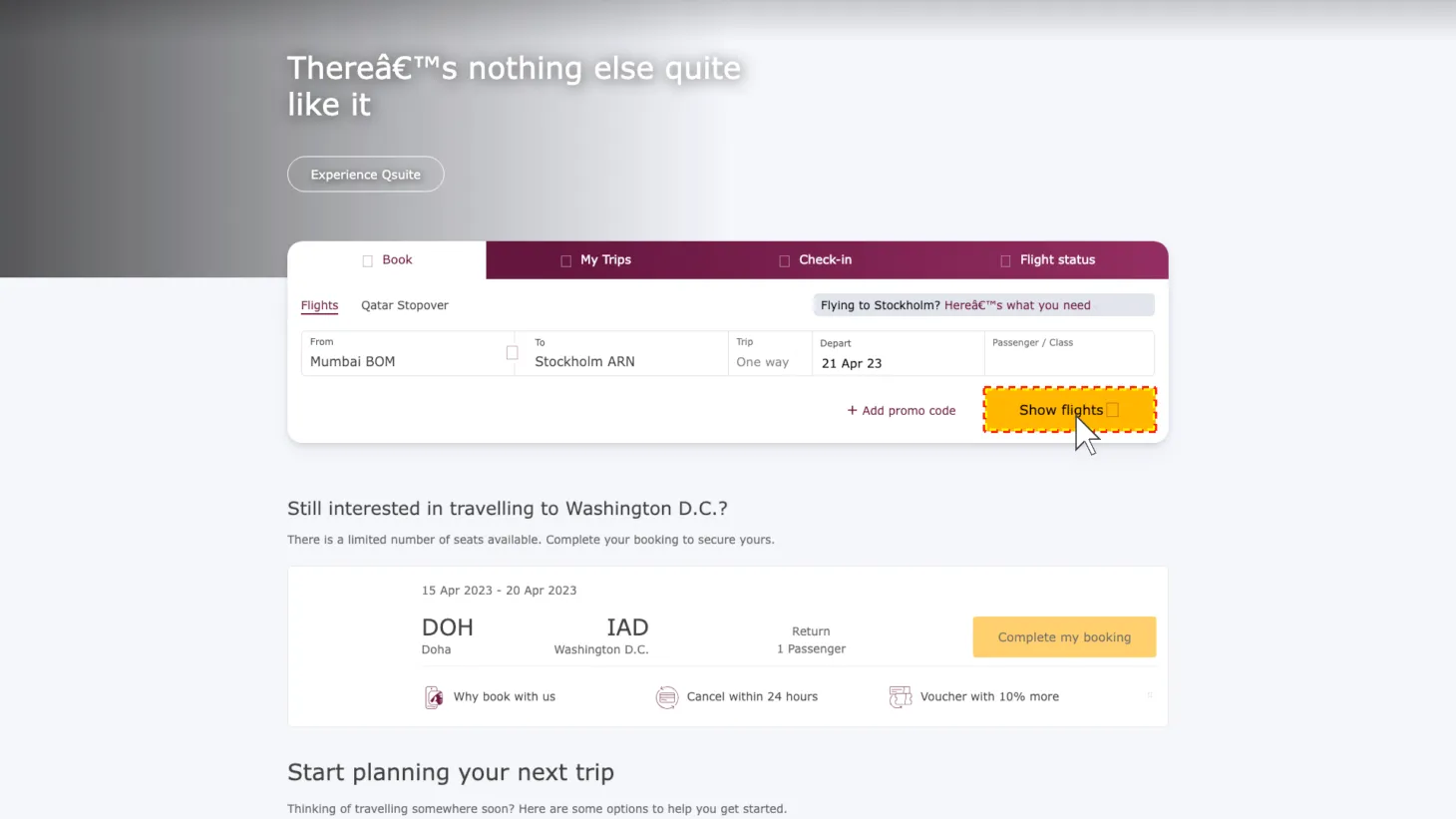
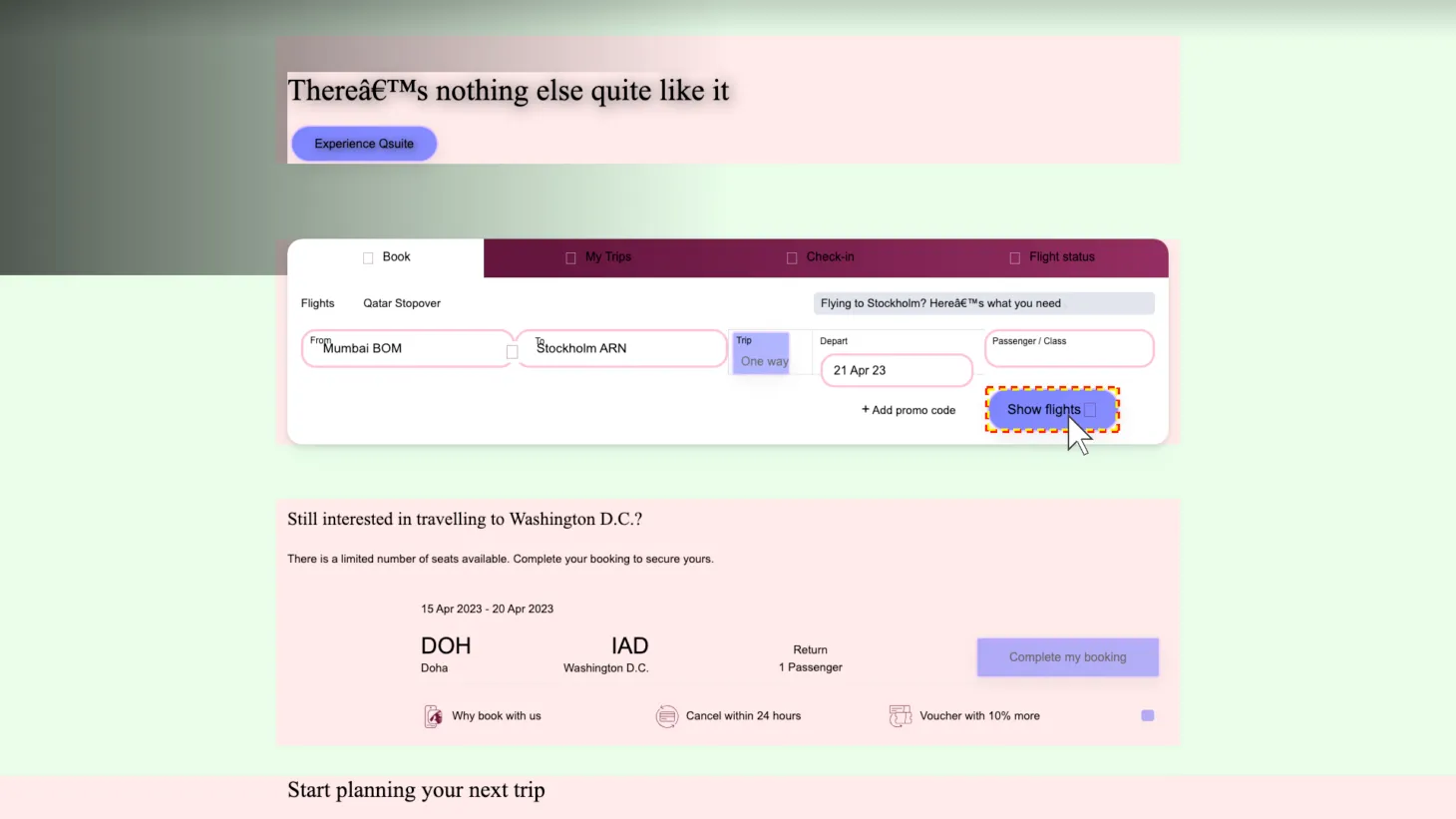
Perturbation Examples. Click on each image to enlarge.
Scope and limitations
Perturbation realism. Not all perturbations produce pages that look like production websites. We prioritize diagnostic coverage over photo-realism. A perturbation that no real website would produce can still reveal a meaningful model weakness: if a model fails when we change the background color of a page, that failure tells us something about the model’s reliance on color as a grounding cue, regardless of whether the specific color is realistic.
Instruction diversity. People refer to GUI elements in many ways. Our instruction perturbations cover a useful subset of referring expressions but not the full distribution of natural language. Expanding this coverage, particularly for colloquial and ambiguous references, is a direction for future work.
Web domain only. This release covers web-based GUIs. Desktop applications, mobile interfaces, and cross-application workflows present different challenges and are out of scope for this release.
What’s next
This post introduced GUI-Perturbed: the dataset, the perturbation methodology, and the design decisions behind it.
In Part 2, we use GUI-Perturbed as an evaluation benchmark. We test three state-of-the-art CUA models that share the same base checkpoint but differ in their post-training recipes, and we report where they break. The results reveal systematic weaknesses, particularly in spatial reasoning and visual robustness, that existing fixed-scene benchmarks do not capture.
In Part 3, we ask whether we can train away these weaknesses using GUI-Perturbed data, and find that naive augmentation with conservative fine-tuning does not close the gap, pointing toward the need for richer training recipes and behavioral coverage in CUA training data.
At Fig, we believe reliable computer use requires models that understand why a GUI element serves a particular function, not just where it appears on screen. GUI-Perturbed is part of our broader work on control intelligence: building the data infrastructure that exposes the gap between perception and reliable action, so we can close it.
At Fig, we believe reliable computer use requires models that understand why a GUI element serves a particular function, not just where it appears on screen. GUI-Perturbed is part of our broader work on control intelligence. You can reach out to us at contact@metarch.ai.
Citation
@online{gui_perturbed_technical_report_2026,
  title   = {GUI-Perturbed: A Domain Randomization Dataset for GUI Grounding},
  author  = {Wang, Yangyue and Mathur, Yash, and Zhou, Tony and Nyachhyon, Jinu and Guruprasad, Pranav and Sikka, Harsh},
  year    = {2026},
  url     = {https://blog.fig.inc/gui-perturbed-a-domain-randomization-dataset-for-gui-grounding},
  note    = {Part 1: Dataset \& methodology}
}